Author: admin

  • Making a Pinhole lens for a Canon DSLR


    Originally From My website July 2005
    Specifications:
    Depth of Field – Infinite
    Equivalent focal length – 50mm
    Resolution – very poor!
    Speed – slower then you can imagine.
    Cost – cheapest Canon lens (the main component is a Canon part)
    Making the Pinhole Lens
    Parts:
    1. Canon camera body cap. Canon caps because they have a thread are claimed to be light tight. I brought an used cap, so technically this is a used Canon lens. Test out the light tightness of the cap by placing it on the camera body and exposing a shot directly into the sun for 5 seconds or so. The exposure should be completely dark. This test is good for other models and makes of cameras.
    2. Quality aluminum foil
    3. Plastic film with self adhesive backing. I used the clear 3m film that they apply to the front of automobiles to prevent rocks from chipping the paint.
    4. Hollow tip 32 gage needle. I used a new insulin pen needle.
    5. Sharp craft knife or razor blade
    6. Cutting board as a work surface
    7. Small piece of dense stiff foam such as styrofoam
    8. Cork
    9. 3/16″ drill
    Construction:
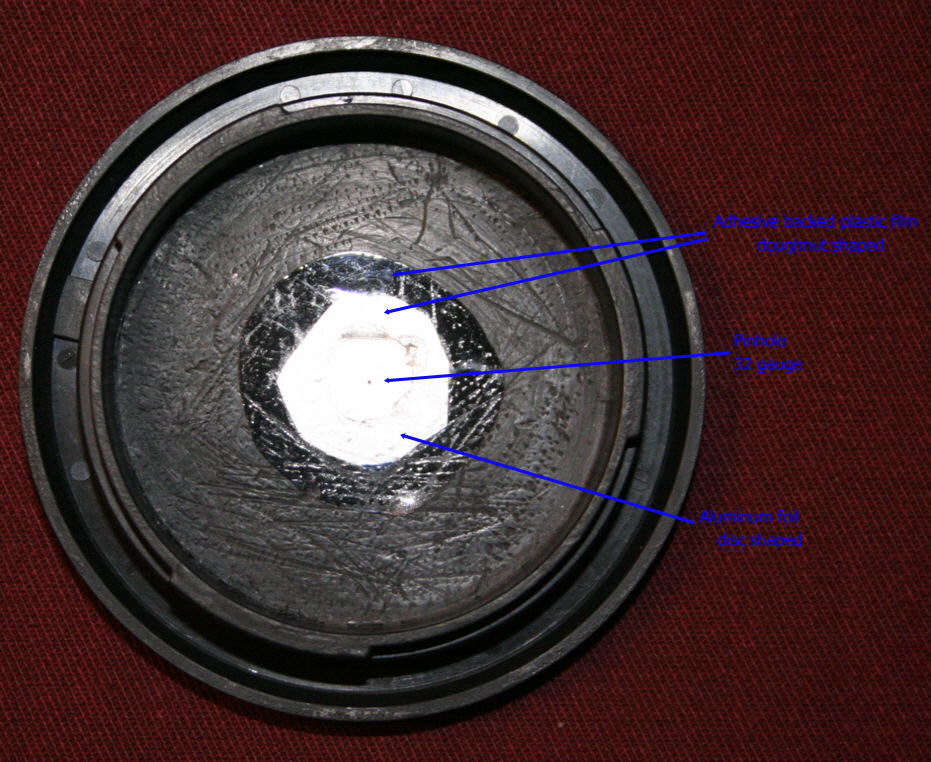
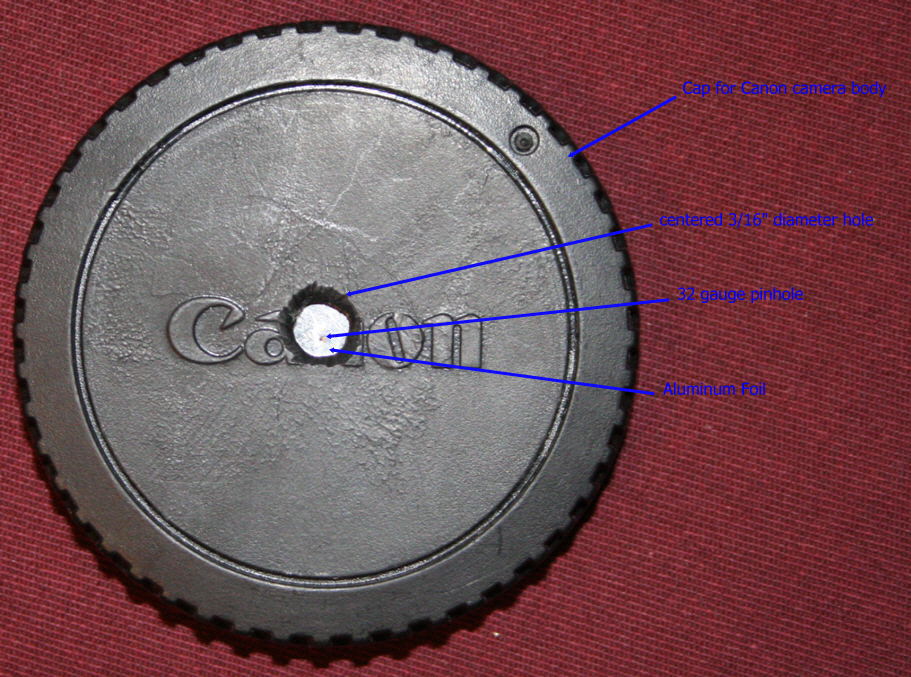
    1. Drill a 3/16″ hole in the inside center of the cap. Use a piece of wood as a backing so that the hole will be fairly round. Use the knife to clean and deburr the edge of the hole.
    2. Cut a donut shaped piece of plastic film 3/4″ OD. – 3/16″ ID.
    3. Cut a 1/2″ disc out of the aluminum foil.
    4. Flatten the foil by placing on a hard flat surface and rubbing the foil with a piece of cork (drink the wine first). Be careful not to damage the foil.
    5. Place the 1/2″ foil disc on the backside of the cap, centered over the 3/16″ hole.
    6. Remove the backing to expose the adhesive on the plastic film donut.
    7. Place the film donut sticky-side down centered over the foil, use your fingers or the knife edge to seal the foil between the film and the cap. Make sure the foil is flat and sealed around the complete circumference. Note there should be only foil covering the center of the cap.
    8. Place a the cap face up with the bottom of the cap and the foil supported by a small piece of dense stiff foam.
    9. Very carefully puncture the center of the foil with the 32 gage needle. The motion of the needle should be straight up and down., any sideways motion or too deep of a penetration will distort the pinhole.
    10. Have fun!
    Alternative Way to Make the Pinhole
    Before the foil is installed in the cap just after step 4:

    •  Once again the foil must be supported by some dense stiff foam such as Styrofoa 
    • Make the pinhole as in step 9
    • Repeat step 4 the foil flattening step
    • Inspect the hole to make sure the edges have not been pushed back into hole by the flattening of the foil
    • Install the foil as before

    Using this method allows you to practice making pinholes and also allows you to inspect the hole before installation. Note that the needle can only be used a few times before it will get dull and has to be replaced.
    Each different pinhole will have its own unique qualities, ideally the pinhole should be perfectly round, perfectly flat and as thin as possible. This is impossible without buying a manufactured hole (yes you can buy a hole) . Unfortunately my microscope is on loan so I can not actually inspect the pinhole except by holding it up to a light bulb. Hopefully I will update the page with actual hole details when I get the microscope back. Alternatively a flatbed film scanner could be used to scan the hole.
    Notes:

    1. I originally used plastic tape instead of the film. But it took a couple of trys to get a good (nearly centred) pinhole, I found it was very difficult to remove the gummy residue from the tape backing, I tried soap and water but that did not work. I tried a cleaning fluid but as you can see in the pictures it attacked the plastic cap and messed up the finish. The plastic film has an adhesive that stays with the film even after you remove the film from the cap, this makes replacing the pinhole an easy job.
    2. Dimensions except for the pinhole are approximate.
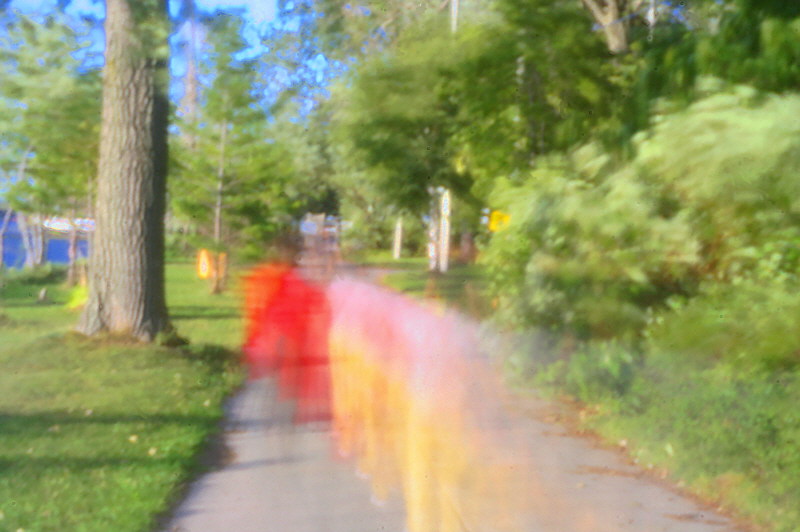
    3. Many of the pictures have some contrast lose, some even have a rainbow effect. This could be caused by light leakage, a ragged irregular pinhole edge or most likely from the large amount of light that comes through pinhole outside the FOV (field of view) of camera sensor. This light is reflected and diffused onto the sensor. If I shield the lens from off angle light the effect goes away see below for a partial solution..
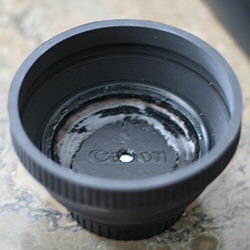
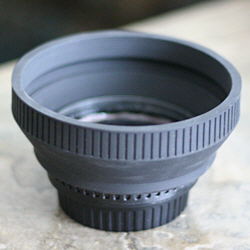
    4. The low resolution of the lens is mostly related to physics. The pinhole is around 0.3 – 0.4mm diameter and a pixel on the camera sensor is many times smaller. The only way to get higher resolution would be to have the camera sensor area much larger, lets say as large as a large format camera. No way on a proconsumer camera! There is also both a diffraction limit and equivalent For a lens hood I brought an inexpensive rubber hood and glued it on with Gloop. The hood allows about a 90° field of view which is still too wide for the pinhole lens.F stop light limitation on the minimum pinhole size.
    Some References:
    This Page On My Original Website – contains some more details and pinhole image processing tips
    My Blog posting homemade 8×10″ large format pinhole cameraThe Pinhole Gallery – A Gallery of Contemporary Pinhole Photography
    The Pinhole Camera – Imaging without Lenses or Mirrors By Matt Young (Some of the physics and history of the pinhole camera)
    Luminous Landscape – Pinhole Camera Tutorial This page has some good photos and suggestions for making large format film cameras
    Isabelle Lousberg If her work doesn’t inspire you why bother!
    F295.org – Exploring 21st Century Photography
    youdesignit.com – pinhole-photography
    Online Schools: Guide to Pinhole Photography
    PINHOLE PHOTOGRAPHY AND CAMERA DESIGN CALCULATORS  

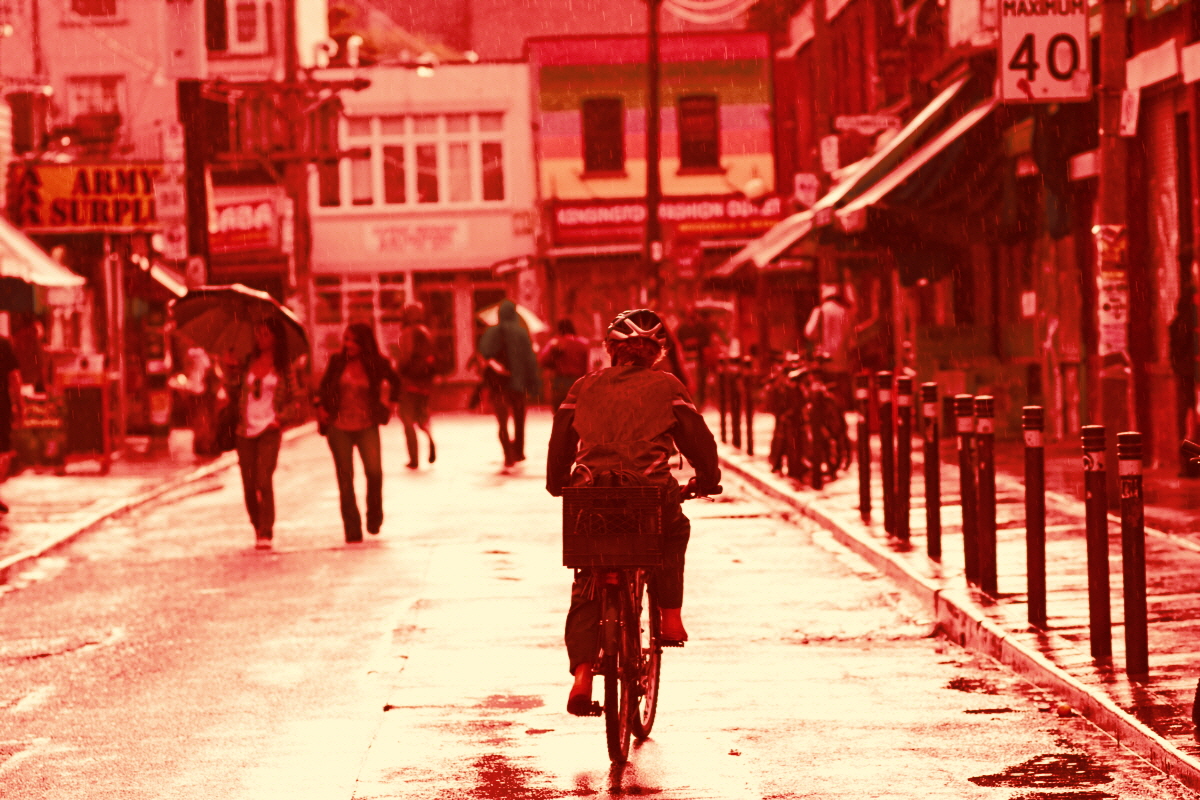
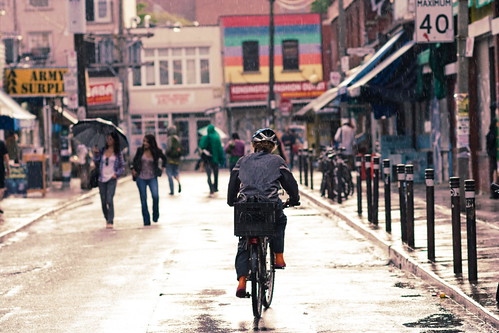
    August 21 2005 Pinhole Pictures with Lens Hood
    Two Bicyclists
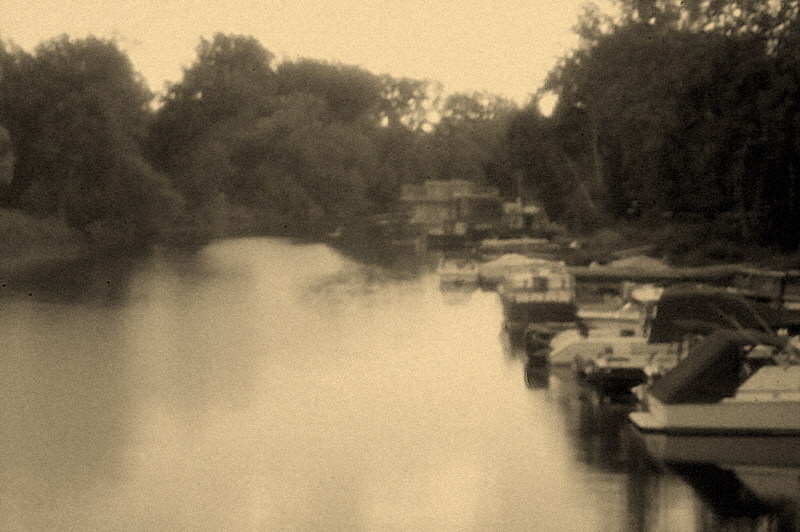
     Wards Island Gap
    Please contact me for permission to use or reproduce any part of this page photos@rraz.ca
    Ryan
  • Really Bad Video Productions

    RBVP Merchandising

    RBVP is my tongue in cheek name for my low tech attempt to fool around with moving pictures. As long as I don’t take myself too serious the making of small video clips has helped me widen my horizons.

    The following Youtube video I made with about 100 shots out of my DSLR. The idea is to make a sculpture out of real life.

    My first attempt at this type of stop motion was done a coupe of weeks ago using much fewer photos from my P&S:

    My P&S actually has real video, too bad the compression algorithm is so lossy or else I think it might actually be a good video camera. But it is still good enough to record RBVP documentaries or music video style videos.

    I doubt it but if you would like to see more but RBVP on YouTube or on Flickr

  • Colour Balance Epson Scanners – A Short Note:

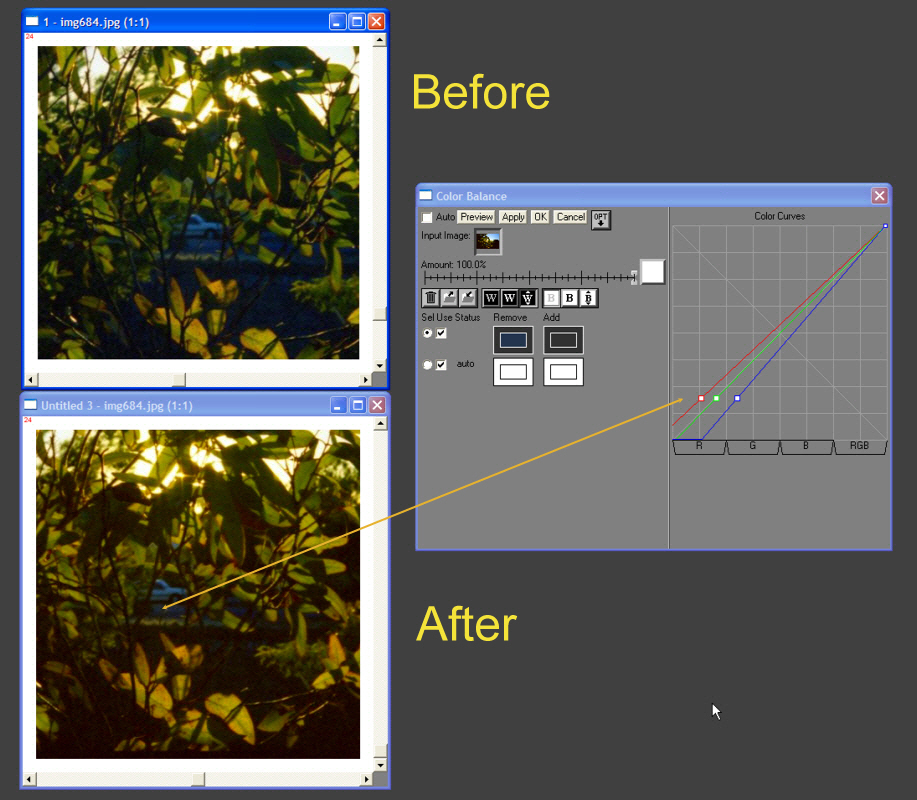
    Often when scanning it’s not only the white balance that needs attention. In this case the white balance is fine but the mid greys and darker have a blue cold colour ting. The leaves are also meant to have more browns.

    Epson software is pretty bad when it comes to colour balance. It does more of a white balance then an actual colour balance. Using an image in this thread as an example I added a mid black correction of the image. This type of colour balance is important for films like the new Kodak Ektar.

    Here I have used the pavement to re-balance the colour balance.

    Colour Balance

    Credit for original image scanned on  Epson 4490, using the epson software taken from this thread

  • Heisenberg Uncertainty Principle or One Way To Use A TLR For Street Photography

    Heisenberg Uncertainty Principle Applied To Street Shooting

    There are many schools of street photography starting from the most famous Cartier Bresson.
    Notice how he holds his camera when not being used. This would still work today.

    www.youtube.com/watch?v=CqsOYsZlPX4
    www.youtube.com/watch?v=mjjGiBUaf4s

    Or the currently in vogue copying of Bruce Gilden flash in the face style: www.youtube.com/watch?v=IRBARi09je8

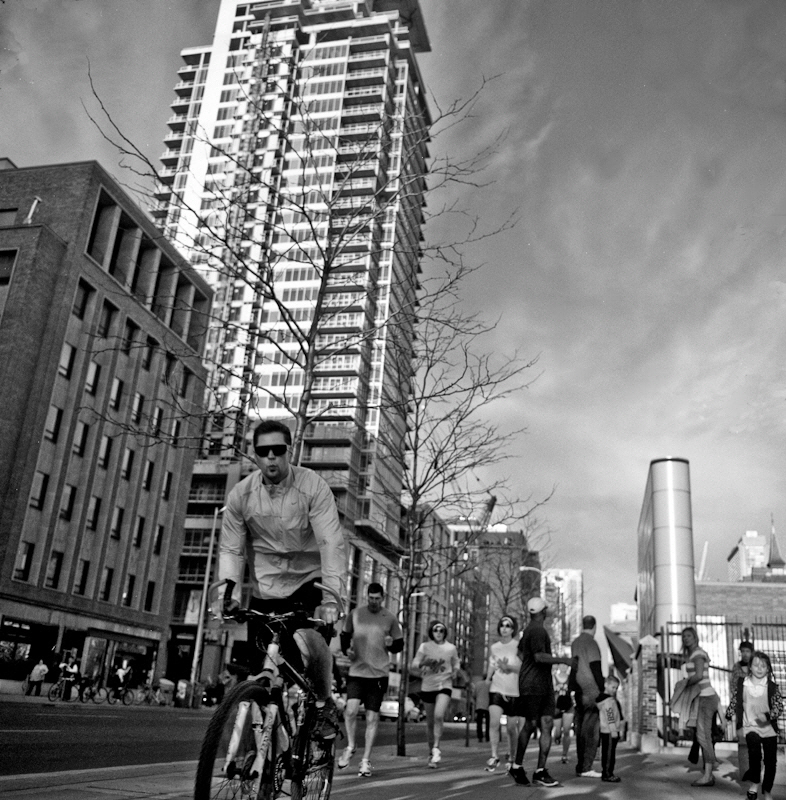
    The Heisenberg uncertainty principle gives us that the Photographer  being the observer always alters the scene he’s trying to capture. No matter how much you try to camouflage the camera your actions still affect the scene. Hip shots, standing on the corner waiting, trying to blend in, using a camera phone or small point and shot are some of the many other methods which are used in street photography, all of them affect the scene to some degree.

    You might not know but one way to camouflage a large building in sunlight is to shine a bright light on it as the human eye can not distinguish it from the skyline. A Mamiya TLR is pretty difficult to disguise even with a bright light.

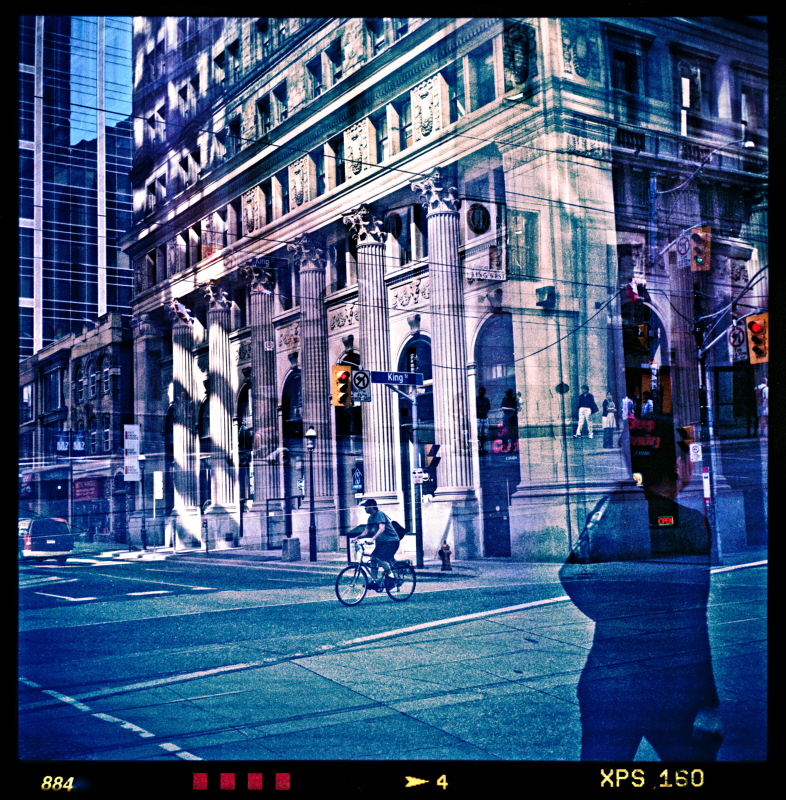
    The photo above is first of a series using a new to me idea for using my TLR for Street photography. That is to place myself in the middle of the path and be obviously taking photos, because people know that they either move around me or I become almost invisible under the camouflaged so to say right out in the open. Now under the Heisenberg Uncertainty Principle the observer (photographer) is part of the scene so taking photos or not taking photos does not affect the “quantum” state.

  • Odds and Ends In B&W Film Development

    If you can soft boil an egg and you have a sink you can develop B&W film

    Lucky Seven D76 Development Times
    Lucky Seven D76 Development Times
    B&W Development From One Shot Powder D76
    8×10″ Large Format Foam Core Pinhole

    Now days I mainly use one shot (dispose after one time use) Kodak  TMAX Developer for pushing and Kodak XTOL for other work. I still like very Dilute d76 for my 8×10″ litho ortho film this only because I can develop by eye under a red safe light.

    XTOL is one of the most environmentally friendly developers. It is also one of the best general purpose developers. I hear that Ilford DD-X is similar with the advantage that it is already in liquid form and a disadvantage that it is at least twice the cost per roll. I would suggest to the beginner that they would start out with a general purpose developer and get the basics down before experimenting with other developers and developing techniques.

    For fixer I use a Kodak or Ilford rapid fixer. I reuse until it is too slow (takes twice as long as when fresh). A tip: Drop a piece of the film leader into the fixer  and wait for it to clear multiple that time by 2 (3x for TMAX or Delta films) and that is the time you need to leave the film in the fixer. Kodak TMAX and Ilford Delta films eat up fixer and usually need much longer fixing times then other films. Important before disposing of fixer down the sink drop some steel wool in the spent fixer and wait for 24 hours. The steel will scavenge the silver out of the fixer. Remove the steel wool and now the fixer is safe to dispose of. Silver in solution is very toxic to the environment.

    I do not use a stop bath for film (you need it for paper) it is only necessary if you have really short development times.

    If your water is hard or has a lot of iron then use a Brita water filter. I let normal tap water sit over night with the top off the container so it can reach room temperature and any chlorine can come out. This is easier and less wasteful then trying to keep a constant temperature with running tap water Using the Ilford method for rinsing (see reference below).

    When the film is wet the surface is soft almost sticky and can be permanently embedded with dust and water marks, it is also easily scratched at this point. Some tips on drying your film :

    •  Use a separate final rinse with a drop of wetting agent, if you have hard water then use distilled water for the final rinse
    • Turn of your exhaust fan (leave it off) and run a steaming hot shower. The small particles of water will clean the air of dust particles
    • Before hanging hold the film at both ends and shake to remove excess water. Be careful not to use excessive force or you could damage the emulsion
    • Hanging the film on a diagonal will speed up the time that it takes water to run to the edge
    • You can blot excess water of the edges or end with lint free cloth or paper, coffee filters work well. Do not touch the emulsion! A rocket blower or other rubber bulb duster is a good investment as water drops can be blown off with a jet of air. It will also save you a ton of money in the scanning stage as canned air is really expensive.
    • While a squeegee is sometimes recommended at the beginning of the drying process it is also responsible for scratches especially on films with softer emulsions. So consider not using one or possibly using your fingers (minus nails) as a better substitute.

    Fixer Update: 

    It appears that a hypo-clear or eliminator after the fixer stage does not have much use with negatives (different for paper) and a rapid fixer, in fact residual thiosulfate and thionates may actual aid in the archival process. This article indicates that a 2 bath fixer may be much more effective then a single bath fixer as the first bath takes out the majority of silver while the second fresher bath removes products that the first bath can’t.

    Final Rinse Update – In the past I had spots now none:

    The final rinse is 3 minutes in distilled water; After the 3 minutes I  then add 1 drop of Edwards wetting agent.; Shake really well for 5  seconds, wait  until any foam dies down; Then remove film from liquid. Shake off excess water and hang to dry. Note distilled water only makes a different if the water has mineral content.

    Absolutely no spots!

    Notes on final rinse: 

    The distilled water adds  about $0.15 per roll but it seems to be worth it, The trick seems to be prior to adding the wetting agent leave the film in the distilled water for long enough to dilute (replace) any of the tap water in the emulsion.

    The purpose of the wetting agent is to lower the surface tension allowing any surface water sheet off the film. You do not want the wetting agent to soak into the film. Do not use dish water soap as a replacement for the wetting agent as it contains many chemicals that are undesirable if left behind in the gelatin layer also it does not have all the same desirable properties as wetting agents designed for film. See update here: http://metrix-x.rraz.ca/2012/12/developing-film-and-water-spots.html

    Updates January 2012 


    Mixing Xtol

    It seems to help if the water is towards the upper range of temperature
    (see instructions so that you don’t overheat. I use a large plastic
    spoon to stir and break up any clumps wait and repeat, wait some more
    and repeat…. Eventually it will almost dissolve except I can never get
    rid of a few small specks which I ignore. Add other package with about
    500ml of water. If you want to be exact about the 5l then put 5l in the bucket and mark the level before you start.

    Using A Stainless Sieve

    When you are filling smaller glass containers with the xtol for storage
    run it through a dollar store stainless sieve to remove any particles.

    Sometimes in the winter my xtol stored in closed glass jars gets a bit
    of white cloudy stuff. To remove pour it through a fine stainless steel
    sieve just before using. Also used fixer can also can also get
    contaminated and the same trick will work here. Just make sure you
    rinse well directly after use. The sieve costs me less then $2 at the
    dollar store.

    Silk Gloves Better Then Cotton For Film Handling

    For handling film instead of using those cotton gloves
    which seem to pick up fuzz and deposit it on the film I found that silk
    glove liners that you use for winter sports work much better without
    picking up lint or static charging the film.

    Useful References

    The most important resource is the Massive Development Chart for developing times, while you are at it check out their meta list.

    Don’t forget to check out APUG and their Beginners Guide
    If you like Ilford then check out their pdf on Developing Your First Roll Of B&W

    If you use stainless steel reels and have big fingers like me 35mm film is a b!tch to load. I found this thread on Flickr Loading steel reels – an alternative method a useful resource (note the link to another thread and a link to a video) If you end up with moon shaped marks on the film that means the film emulsion has be physically damaged by pressure (in my case it usually because of a finger pressure. At the end if parts of the film look undeveloped it is usually because on part of the film has crossed a spiral and was touching another part of the film.

    Plastic or metal reels when loading 120 film make sure you cut off the tape at the end or it could get stuck where you don’t want it to be stuck.

    For 35mm a tip is to not to rewind the leader all the way back into the canister (some of the newer cameras have a menu setting to leave the leader on rewind otherwise with manual rewind you can feel it when it is coming off the take up reel. If you have a leader you can trim it and start on the reel in the light!

    Now days I trim the end flat and then rewind it back into the canister and open the canister and remove the spool in the dark with a bottle opener. This has the advantage of reducing the drag when respooling it on the reel.

    For plastic I use AP reels and tanks, they are really easy to load and they have an innovative way of agitating without inversion. The only time I have had a problem is when I creased the leader and it got stuck starting at the second turn. Don’t panic you have to release the film not by pulling it out as with other types of spools but by first separating the two halves of the spool. Make sure practise doing this and all other aspects of loading with your eyes close or in the dark.

    If you use a changing bag make sure it is large enough not to be cramped. A tip I was given was to keep my eyes closed so you are not distracted and disoriented by your vision. I find it easier to load in a bathroom with the door and windows blocked out. (make sure you turn off anything with led lights and do not wear a watch that glows in the dark)

    Kodak Xtol Developer – Unofficial Resource Page
    T-Max Films — What Rochester Forgot to Tell Us
    A few ideas on using Kodak T-Max Films Successfully by John Sexton

    You can see that I like TMAX film, what’s not to like with a possible dynamic range of 19.5 stops!


  • Cross Processing Myths RIP

    Cross Processing Myths RIP

    The 2 myths I will be talking about is that cross processing E6 slide film in standard C41 colour negative gives unpredictable hence random results. Hence the popularity with lomography crowd.  Before you stop me I know plenty of people that take wonderful dreamy shots with lomo and other toy camera but none of them rely on random luck it’s skill and artistic ability. Second lesser myth is that it is better to over expose expired slide film when you cross process.

    First off in a past life I have a background in imaging and high speed microscope scanners including some patents that I’m proud of but most of what I am going to be talking about is based on observation and intuition. So bear with me while I go through some technical details:

    Colour Slide Versus  Colour Negative film

    Slide film in general has a much smaller latitude when compared to negative film this means that your exposure settings for slide film has to be more accurate then with negative film or your highlights will be blown out (sort of sound like digital doesn’t it) on the other hand if you under expose the darks will be one shade of black.  With todays colour film a couple of stops under or over exposure doesn’t make much difference it will look pretty much the same. Film records light in a nonlinear way so instead of clipping like in digital the highlights and shadows are compressed in a natural eye response type of way.

    So why use slide film because if you get it right the resulting image has a much greater dynamic range (the difference in film density between the lightest to darkest part of the image), blues go from the palest lightest shade to inky almost black blues, the same for the greens and reds. A 8×10″ colour slide on a light table is a glorious thing.  Maybe paradoxically it is more difficult to scan when compared to the more compressed lower contrast ratio colour negative. This is true even when E6 type slide film is processed in c41 (standard developing for colour negative films)

    If you want better technical reading go

    Here

    Dynamic Range By Bob Atkins

    and here:

    Film Contrast by Perry Sprawls, Ph.D.

    Film is not like fine wine it’s designed to be used when it is still young. As film ages it gets bombarded with cosmic rays and maybe more important the layers oxidize and chemicals diffuse and mix with each other sort of like the ripples in hundred year old glass windows. Refrigeration  or freezer will extend the life but only by so much.  As the film ages the unexposed film slowly fogs meaning black  is no longer black but shades of grey. The colours in the dark areas become muddy and the grains of silver become more obvious and dyes start to bleed. (This paragraph is conjecture and observation on my part.) Astronomer super charge film sensitivity to low light by annealing it with special gas mixtures).

    The lower the ISO the slower the film ages (this shouldn’t surprise anyone). What sort of surprised me was that expired film  seemed to be fairly constant in exposure (ISO), with only the latitude and dynamic range  decreased by the level of fogging.

    Now what does this all mean when it comes to exposure. Conventional wisdom seems to be to over expose to compensate for the fogging. I have tried this by a half a stop for 15 year old slide  film and all I did was sacrifice the highlights for a bit better shadows, I also tried over exposing by 1 stop and pulling the development by one stop, this was even worse, colour film in c41 seems to push better then it pulls. My best results is to shoot at box speed and meter the exposure for the subject of importance. It also saves me the time  money at the lab as most lab charge extra for pushing, pulling and cross processing if they can even really do the pulling correctly.

    So shoot at box speed and meter for the subject, it’s old film what do you expect new film? I’m only talking about colour slide film it’s different for B&W and negative film.

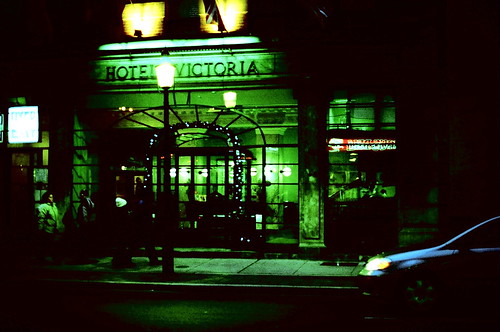
    Hotel Victoria
    Lab Scanned Early Work

    The big myth that cross processing gives random inconsistent results. Except for the occasional very rare damaged roll. I find the result from each type of film is repeatable and consistent.

    When I first tried cross processing I didn’t really know why the results  appeared to be inconsistent. I believed all the myths. First I thought it was how it was developed, then how it was exposed. A couple of years ago I started to examine the colour curves. I couldn’t make any sense out of them so I thought it was cross talk between the RGB channels red getting into the green channel, blue into red, … sort of like the current lomo fad (ducks) using redshft film to shift the colours into the yellow orange red spectrum. So I tied to build a colour profile that would correct this cross talk, no such luck. it wasn’t until a lab scanned the cross processed  as colour positives effectively supplying me with colour negatives (excuse the brain twisting double negatives).

    Examining the colour negatives curves it was plain to see that the rgb curves had a much different shape then normal and the centre of symmetry was offset and different shaped for each of the rgb channels when compared to a normal colour negative curve.

    What does this mean:

    That colour is dependent on and intertwined with intensity.
    If you remove this dependency you get consistent slide to slide, roll to roll results.

    If you let a lab scan your film you will get highly inconsistent results that depend how their automated scanner treats a cross processed image when expecting a normal colour negative..

    If you want a consistent results you have to adjust every image at either at the scanning stage and/or in post.  Usually it’s enough to correct white balance at 1/3, 2/3 and %100 white.

     The goal is not to get perfect white balance, if that was the target then why bother cross processing.

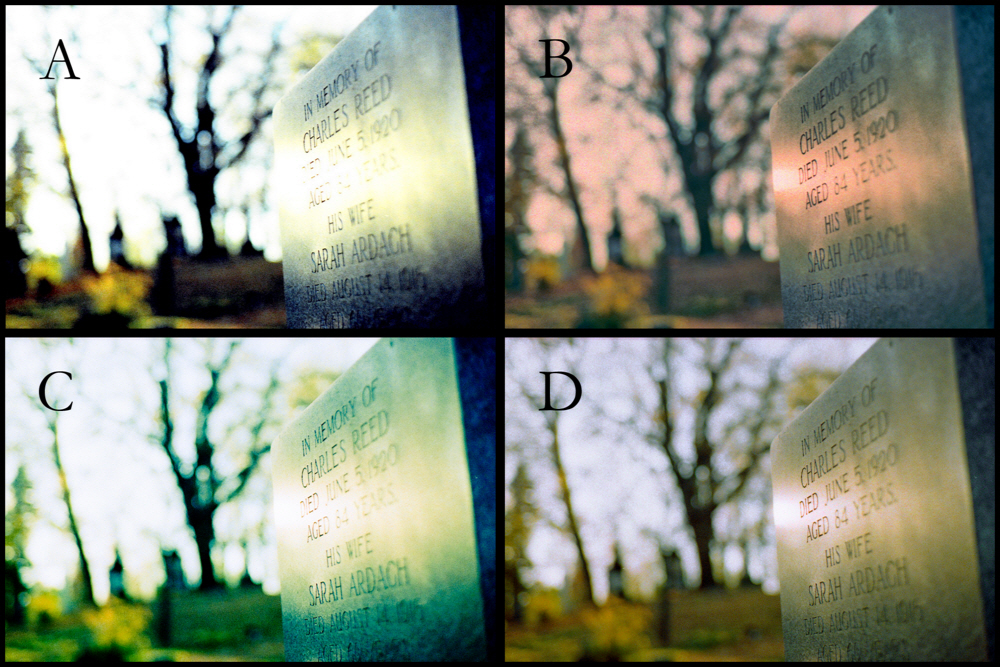
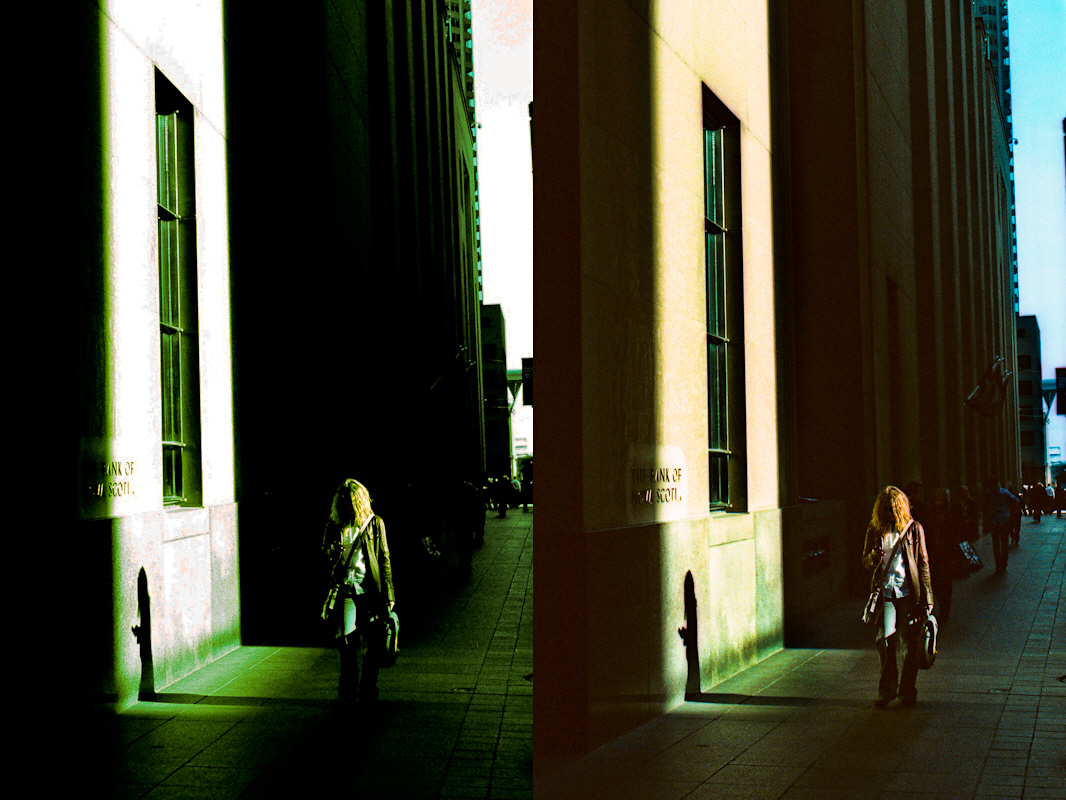
    Whats with the ABCD in the above polytch using the same negative Kodak 64T expired 1997.

    A is lab scan not too bad except for the blown highlights and lack of shadow detail.

    B is scanning as a colour negative, good details an colours but hard to get the highlights as tungsten balance film has a tendency to have a lot of red noise in the highlights, this can be used to good effect  to give a gold look.

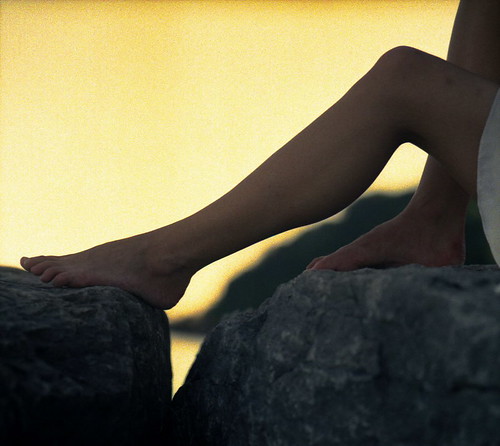
    Legs

    Mid Summer Dream
    Kodak Ektachrome tungsten balanced film is my favourite film to crossprocess

    C Scanned to give the expected digital cross processed look.

    D is scanned as a colour positive and then colour reversed in post. This gives you the most control at the expense of extra time.
    Note: Scans B,C and D were done on my Epson V500 scanner.

    I cross process because I have cheap expired slide film and I like the surreal colour shifts even if it is at the expense of some colour bleed and lose of details. I really like Kodak Kodak Ektachrome tungsten balanced film is my favourite film to crossprocess because I can bring out golden highlights.

    Lab Versus Y500
    This expired  Fuji Provia 100f is not too bad it still has a good DMAX – DMIN. But of course with all expired film it has lost some shadow detail. By now  you should be able to guess which scan is the v500.

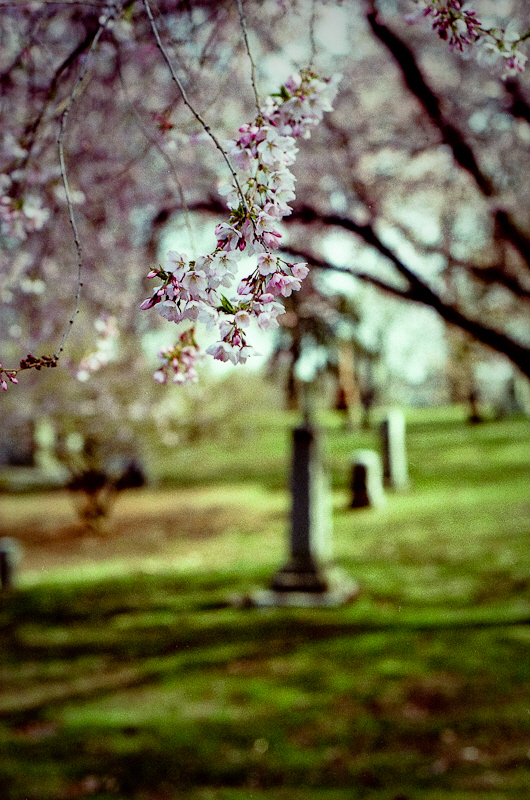
    Springtime At The Necropolis
    Cross processed Fuji Velvia 50 scanned as positive and then reversed by colour negation  in post. Velvia 50 is very difficult to scan directly as a negative because the DMAX-DMIN (dynamic range) of the film is so high.

    If you disagree with anything I have said then there is nothing to stop you from doing it your own way:)

    If you are bored you can have a look at a slide show  of my cross processed work on flickr


  • Faux Redscale

    Faux Redshift

    Redscale is done by putting the roll of colour film into the canister with topside and backside reversed. Originally a DYI project Lomo is now selling the reverse film at a premium and Rolli is now manufacturing films with the filter layers reversed also at a premium.

    The gel filters are reversed ordered hence the CMY channels are mixed to an approximation

    C’ = C + Y
    M’= M + Y
    Y’= .2Y

    This example was done by

    1) Change RGB positive to colour negative (don’t use the grey scale negative).

    2) Remix the RGB channels (I don’t know it might be better mixing CMY channels

    R’ = .2R (Y on negative, Blue on positive)
    G’ = (G + R)/2 (M on negative, Green on positive)
    B’ = (B + R)/2 (C on negative, Red on positive)

    3)Reverse the colour negative back to a positive (at this step you have a chance to change the colour gamma to bring out the yellows and greens)

    3)Adjust contrast and brightness curves

    If you are using film you could start with a colour negative and skip step 1.

    This is my first attempt at faux redscale so it needs some tuning but overall I find real redscale has a creative yawn factor of 8 out of 10 so faux isn’t going to be any better. Give me IR film with the filter built in now that would be creative!

    Original Photo

    Rain Rain Go Away

  • Black & White Development In One Shot D76

    Sun Bathing In The Don
    Mamiya C220; Film Tmax 400; shot at ISO 400; 12 minutes in the developer

    I have been doing all my B&W developing with Kodak D76.

    I keep my d76 in a mason jar in powder form and mix each batch fresh one shot use. Conventional wisdom is that the powder might settle into it’s components but it doesn’t (don’t use the last table spoon). Unconventional wisdom from people that have been doing it for years. I also develop in 1:3 dilution so development time isn’t so critical and I get good shadow detail without blowing highlights. Just beware of chemical dust when measuring out the powder.

    First time you empty the package into the mason jar stir and shake and roll the powder in the jar then put it on the shelf, no need to shake each time you use .

    Disclaimer: I am not an expert and I scan my film rather then print in the darkroom.

    Recipe

    See massive development table for times don’t forget to adjust for temperature.

    I use 1.5 level teaspoons (7.5ml) d76 fill to 420ml with water (distilled if you want to be fussy) Stir well let sit for a few minutes and stir again until all powder is completely dissolved. This makes up an 1:3 dilution stock solution. Be careful not to breath the dust from the powder. Only use it for one roll of film.

    • 2 minute water presoak
    • xx minute development {shake well for the first 30 seconds (instead of shaking invert if possible) tap once on a hard surface to remove bubbles, thereafter every 3 minutes gently shake for a few seconds}
    • rinse with water stop 4 times
    • yy minute fix
    • rinse with water 4 times and soak in clear water for 3 minutes

    • dip in water a bit of rubbing alcohol and a few drops of hypo clear
    • Go here for final rinse instructions : http://metrix-x.rraz.ca/2010/03/odds-and-ends-in-b-film-development.html
    • hang to dry for at least 2 hours (the leader should feel dry and not
      tacky) I find weighting the bottom of the film keeps from coming out
      curled

    My 2 favourite general purpose films are Kodak TMAX 100/400 and Fuji Neopan. So far this method has given consistent results with all films I have used.

    Kodak TMAX needs loads of fixing time. You can drop a small piece of film that hasn’t been in the developer and watch the fixer clear the film, Multiply the time to clear by 2 and that should be safe.

    Passion
    Mamiya C220; Film Fuji Neopan 400; shot at ISO 800; 20 minutes in the developer

    Please go here for more details and my notes on developing B and W

  • Using The V500 Scanner and HDR Techniques To Get The Most Out Of The Negative

    Example of a technique for scanning high dynamic range films. Plus a digital darkroom dodge and burn


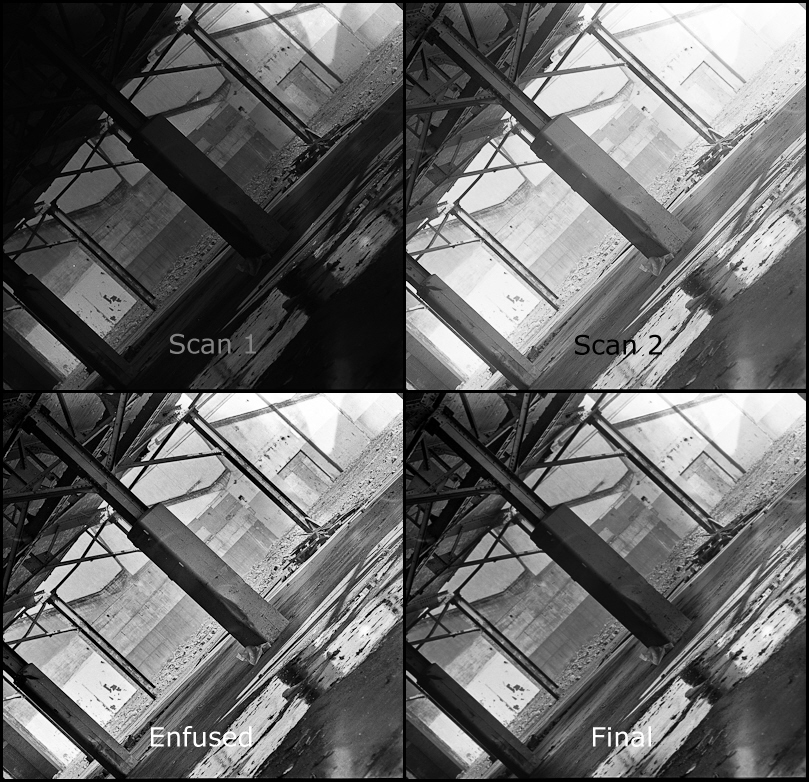
    I took this shot using my mamiya c220 with a 180mm lens. Film was TMAX 400 shot at 1/2 stop faster. As usual I screwed up the loading of the film into the developing spools so there are a few handling flaws.

    – Developed for 12 minutes in 1:3 diluted D76.
    – Scan 1 scanned to make sure highlight detail was retained
    – Scan 2 was for shadow details both scans were 16 bit tiffs
    – Used a program called enfuse and enfuse GUI to automatically blend both scans together. Enfuse by passes the HDR step going directly to the tone mapping but with more subtlety, less noise and artifacts.

    It’s hard to tell in small sized but the enfused image has rather harsh contrast in the area of the gravel.

    Final step I blended Scan 1 and the enfused image together using a hand painted selective mask. With a bit more care I could tailor multiple selection masks to get the result exactly how I like it.

    History of 158 Sterling Rd

    Another Example using HDR Tools


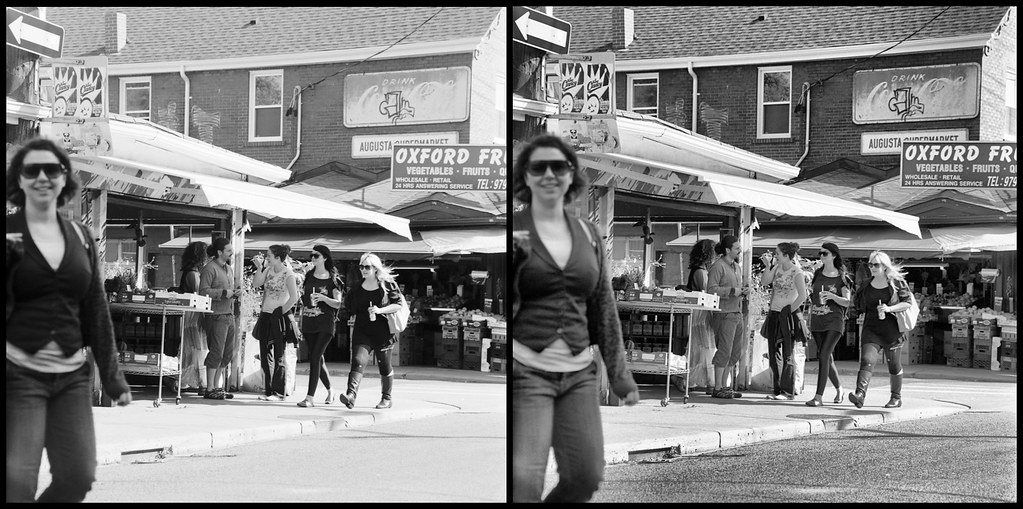
    Image on the left is 14 bit scanned with some brightness curve adjustments in Lightroom. Normally I would do some dodge and burn.

    The image on the right is the same scan plus an additional 2 scans at different scanner exposure levels. The 3 scans were combined and then tone mapped using HDR (high dynamic range) software.

    I used Fuji Neopan ISO 400 film if I had used ISO 100 film the dynamic range could have been increased significantly. I think this does demonstrate how much information is contained within a film negative. Scanners have both a programmable offset and gain so there is actually more information extracted from the negative when you scan 3 times rather then manipulate a single scan.

    As tone mapping increases local contrast at the expense of flattening out the overall image blending together portions of both images might result in the best of both worlds and focus the composition a bit more. Actually took the HDR into Lightroom to adjust curves and the results are better then above.

    There is a trick (an extra 2 steps) to do the same thing in colour without destroying the colours I’m not sure it’s worth the trouble but ask me if you are interested.

  • Testing Epson V500 Scan of a 35mm Zeiss Contax IIIa Colour Negative


    Unlike my Canon 4400f the Epson V500 scanner is in focus, also the slide holder are much better and easier to use. It also works on medium format. The new scanner will allow me to do more B&W in the future. This shot is nothing special but the I choose it as it needed a lot of dodging and burning
    Notice the camera information in the additional information.
    Yes the v500 is excellent price performance wise. Unfortunately the scanner software does not provide exif information. Unfortunately the program I use to add EXIF information is no longer available.


    I did a test of my v500 on a resolution target and found the focus was good for about 800 lines per inch from 0 to .5mm plus the film thickness from the surface of the glass, going from 2400 to 4800 dpi only made a minor improvement differences, kind of explains why you have to go to medium format to get a worth while size print. Also explains why a special film holder is not going to buy you much  except with curly negatives considering the v500 optics and it’s LED illumination. Other have measured the V500 resolution as less than 1600 dpi but there is still merit to over sampling.

    This confirmed the results of wet scanning with the film right against the glass


    My Current Work Flow

    1. Clean everything with antistatic cloth 
    2. Set scanner to pro mode, 3600 DPI for 35mm and 2400 DPI for MF in 48 bit tiff output.  
    3. Insert negatives If they are too curly use anti-glare glass instead of plastic holders. 
    4. Blow any dust off with a rocket blower (If you are rich use canned air). 
    5. Preview
    6. Select all negatives and turn off sharpening and hit auto curve button to see what the epson software things it should look like 
    7. For each negative adjust curve so there is no clipping using the droppers to set white and black and gamma and colour balance. The epson software is so primitive here, that my main concern that there is no highlight clipping or shadow blocking. Do this for each colour as the over all may look good but one channel might not. The point here is not to get a perfect scan but to get all the information out of the negative. 
    8. Scan
    9. Optional If you need more shadow or highlight details then do an additional scan to expand the contrast in the highlight or dark areas blend the images back together in post. I don’t have to do this very often. In post I use Lightroom to correct the image and remove any dust.

    Some help with settings for the epson scan software:
    epson 1.png
    epson 2.png

    Important because you have turned sharpening off you need 2 levels of sharpening one for the scan and one just before final output. Fortunately lightroom has pretty good control here. The first level of sharpening is important and should be matched to the grain size and the scanning DPI it is not there to sharpen edges.

    For difficult colour balance cases check out this note of mine.
    For scanning cross processed films
    For scanning high dynamic range (mostly B&W) go New herehere and maybe here.
    For curly negatives the Lomography Digtaliza works well see the bottom of my blog entry

    A Two-Pass Approach to Sharpening

    This is a good reference on resolution and scanning: