Fall Pano — Affinity Workflow Test
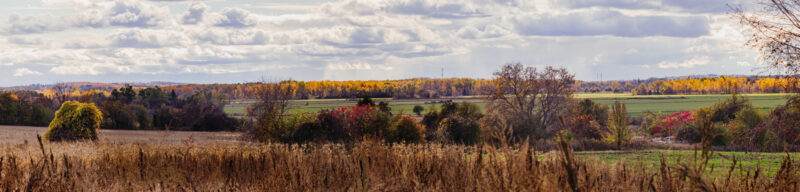 This is a test panorama I shot last fall. The source is a large, wide TIF file. I'm using it to test Lightcraft alongside Affinity 3. Lightcraft is an open-source, clean-room reimplementation of Adobe Lightroom written in Rust, which made news recently because its developer used AI coding tools to help build it. It is still in active development but is already fast and does what I need. Affinity 3 is a free alternative to Photoshop (not a full replacement), and its latest release has significantly improved RAW development.
RAW vs. non-RAW in Affinity: Affinity's Develop module treats RAW files as non-destructive—editing a RAW file doesn't alter the original, so you can reopen Develop later and make further adjustments (e.g., more contrast). For non-RAW files, edits are baked in; reopening Develop starts fresh and you lose that flexibility. A major advantage of Affinity is live preview: changes to earlier steps update the output in real time, with a second or two of lag if heavy processing is required.
The DNG workaround: Affinity doesn't treat this panorama's TIF as RAW. The fix is to convert the TIF to DNG, which Affinity does treat as RAW. Adobe Bridge is free and can convert TIF files to DNG. Lightcraft is also free and handled the TIF-to-DNG conversion correctly, with the added benefit of more capabilities. This also fits my new setup for digitizing film shots into a digital master using a digital camera without losing color fidelity.